
Don't get lost in tax resolution.
TaxVero is the map: clients enter their own financials through a collaboration portal, IRS Standards apply themselves, the math reconciles line by line — and the 433s generate in one click.
Most of a resolution case is chasing numbers you shouldn't have to chase.
Emailing clients for bank balances. Looking up IRS Standards by county. Re-typing the same figures into a 433 for the third time. None of that is the work — it's friction around the work, and it's exactly what the collaboration portal deletes.
Calm for you. Calm for them.

Save time & money
Data entry, standards lookups, and form prep collapse into minutes. The billable judgment work is all that's left on your desk.

Improve data accuracy
One source of truth from client portal to finished 433 — no transposition errors surfacing at the worst possible moment.

Delight customers
A guided portal beats a shoebox of statements. Clients see progress instead of wondering what's happening with their case.
Five jobs it takes off your desk.
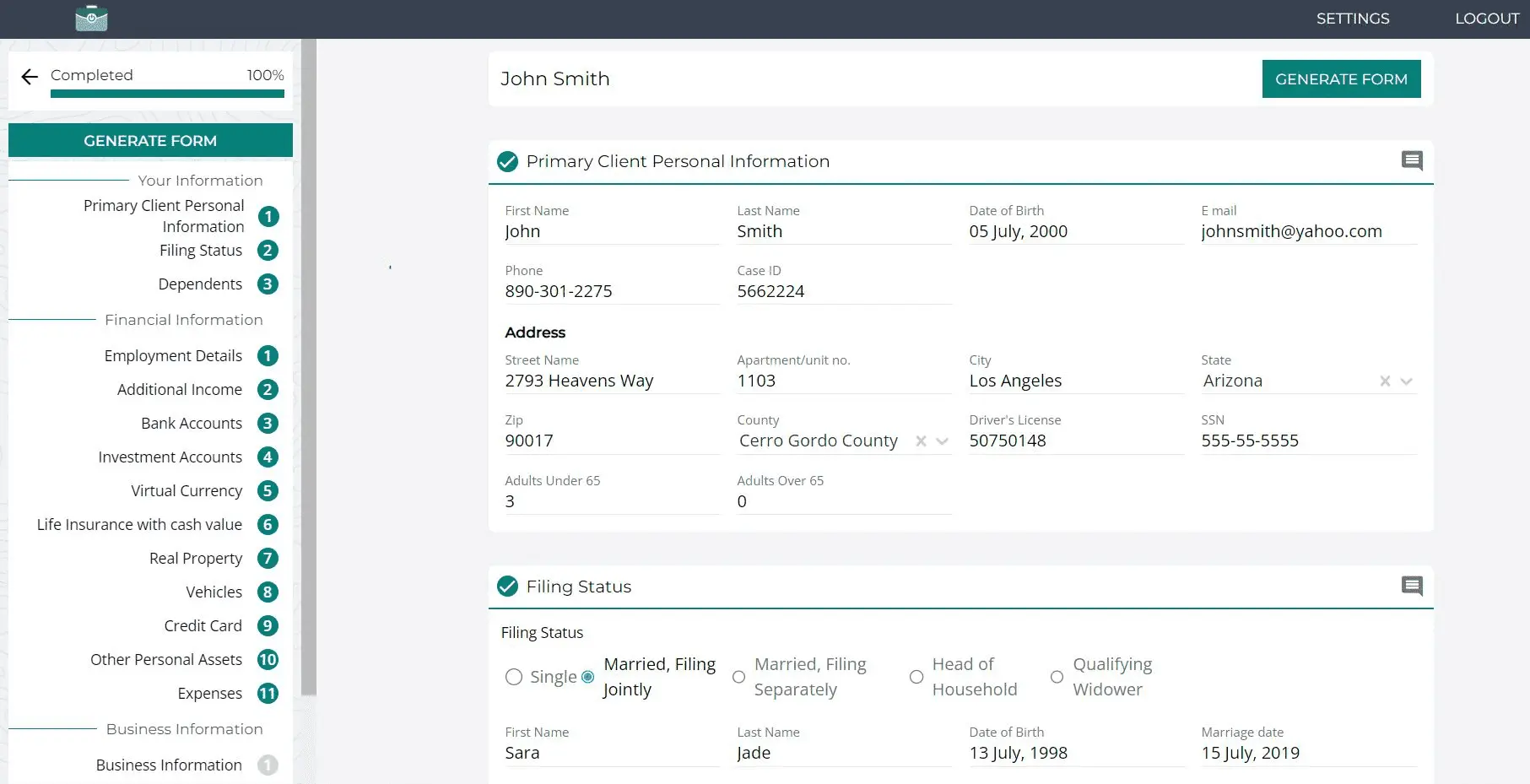
Clients enter their own financials
The portal walks your client through personal info, income, assets, and expenses — section by section, with progress they can see. No email ping-pong.
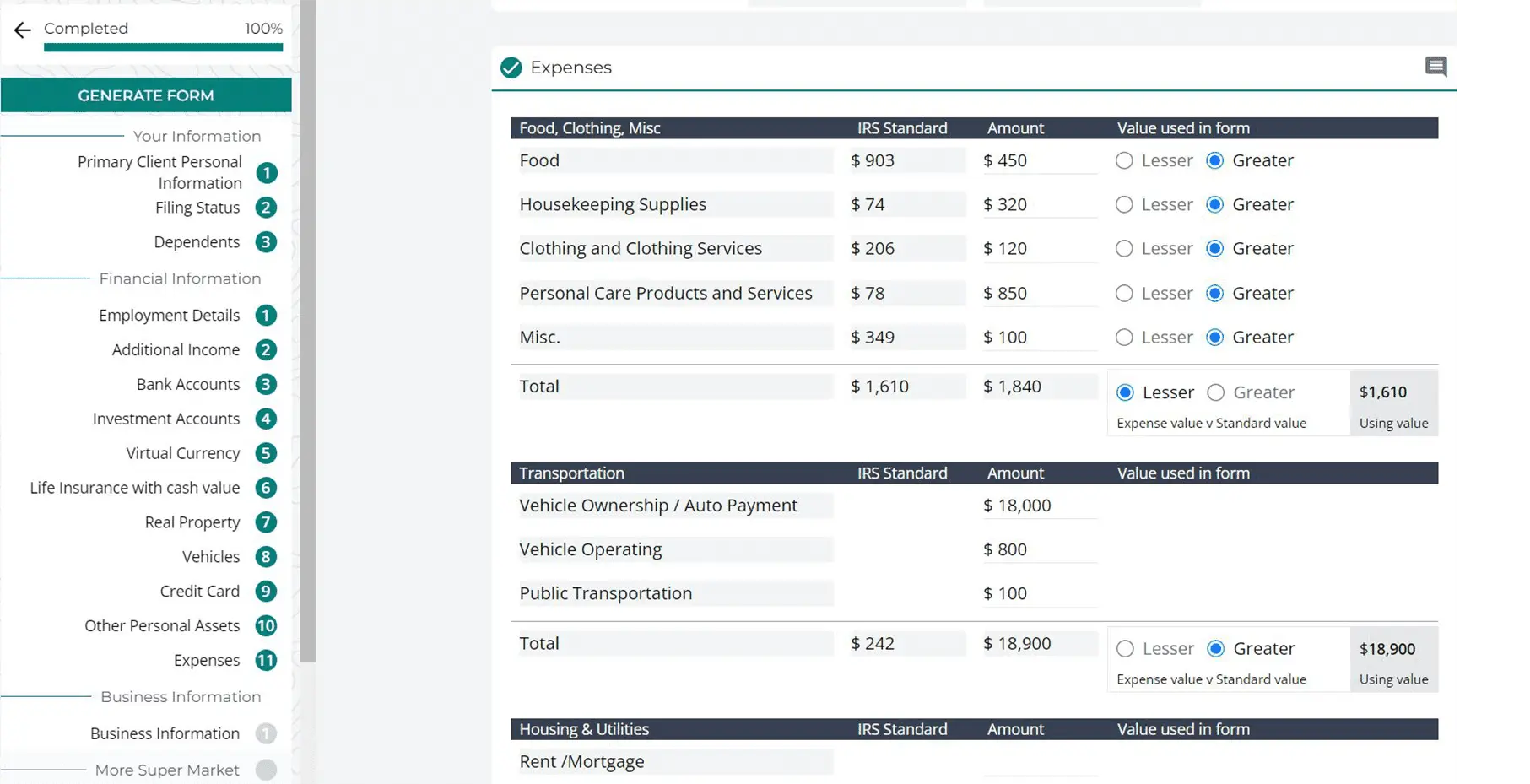
IRS Standards apply themselves
Every expense line compares the client's number against the IRS Standard — lesser or greater resolved automatically, no table-hunting by county.
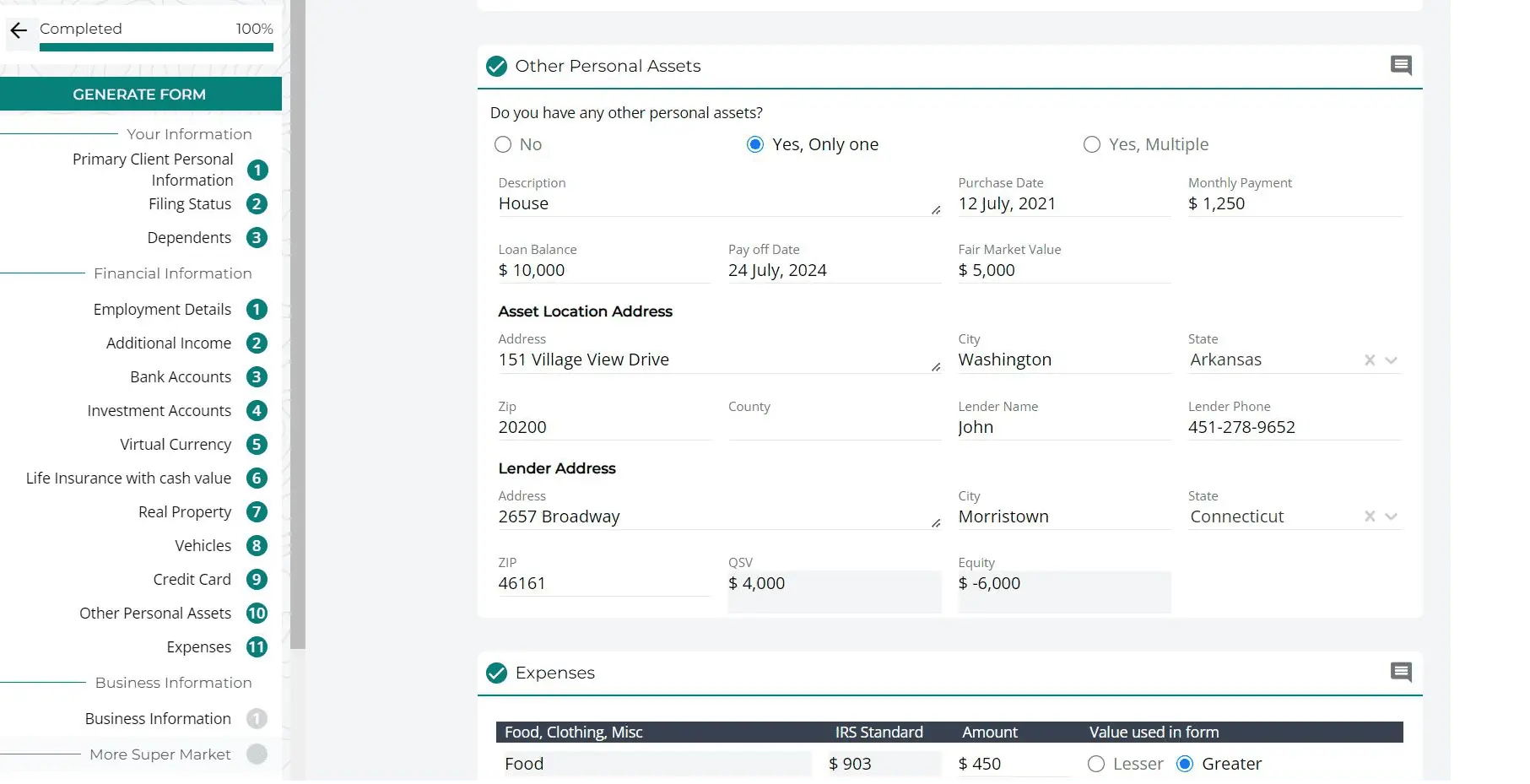
Assets and income reconcile line by line
Property, vehicles, lenders, equity — captured once, calculated once, flowing into every form that needs them.
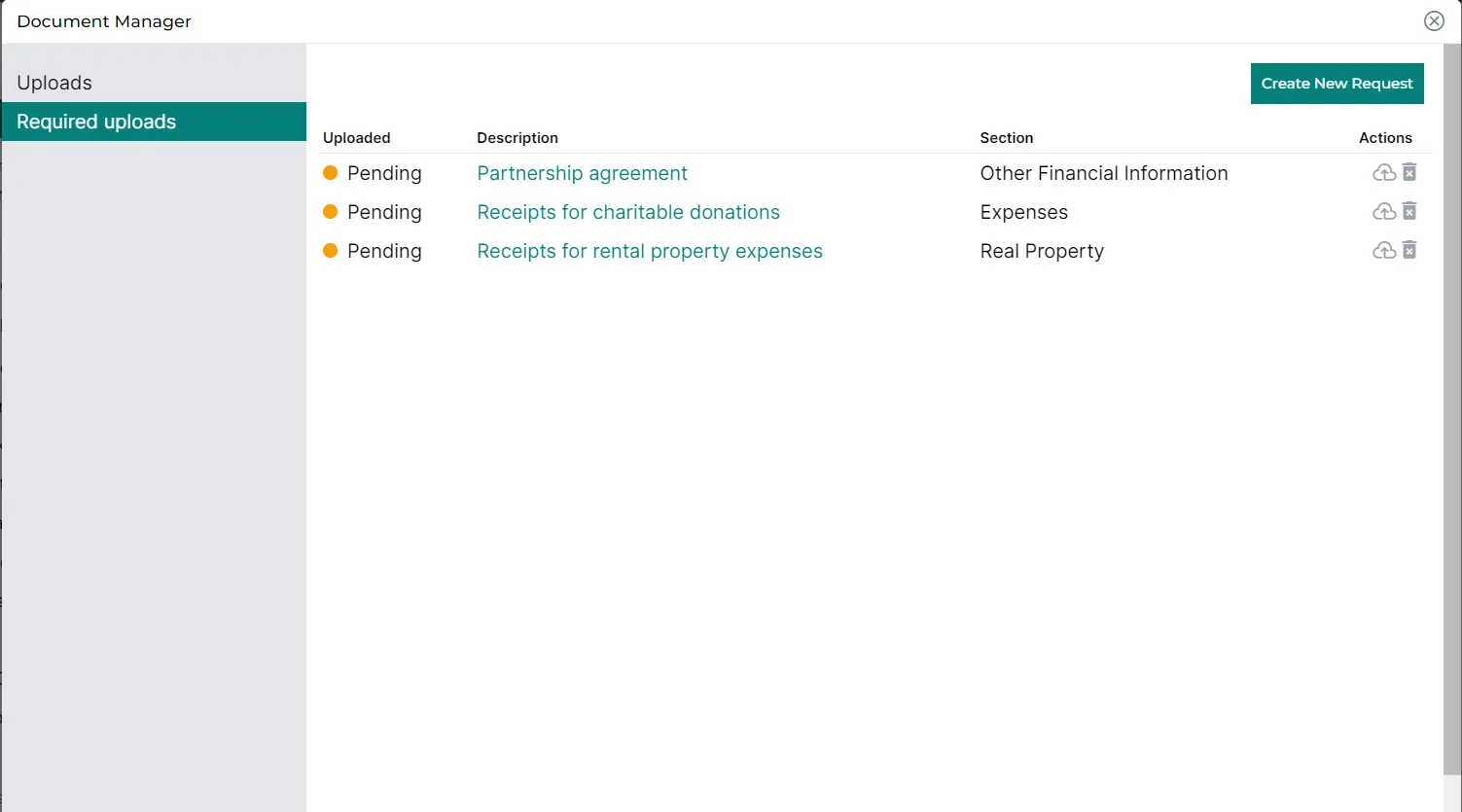
Documents live with the case
Requests, uploads, and pending items tracked in one Document Manager — findable when the IRS asks, visible to the client.
Forms generate in one click
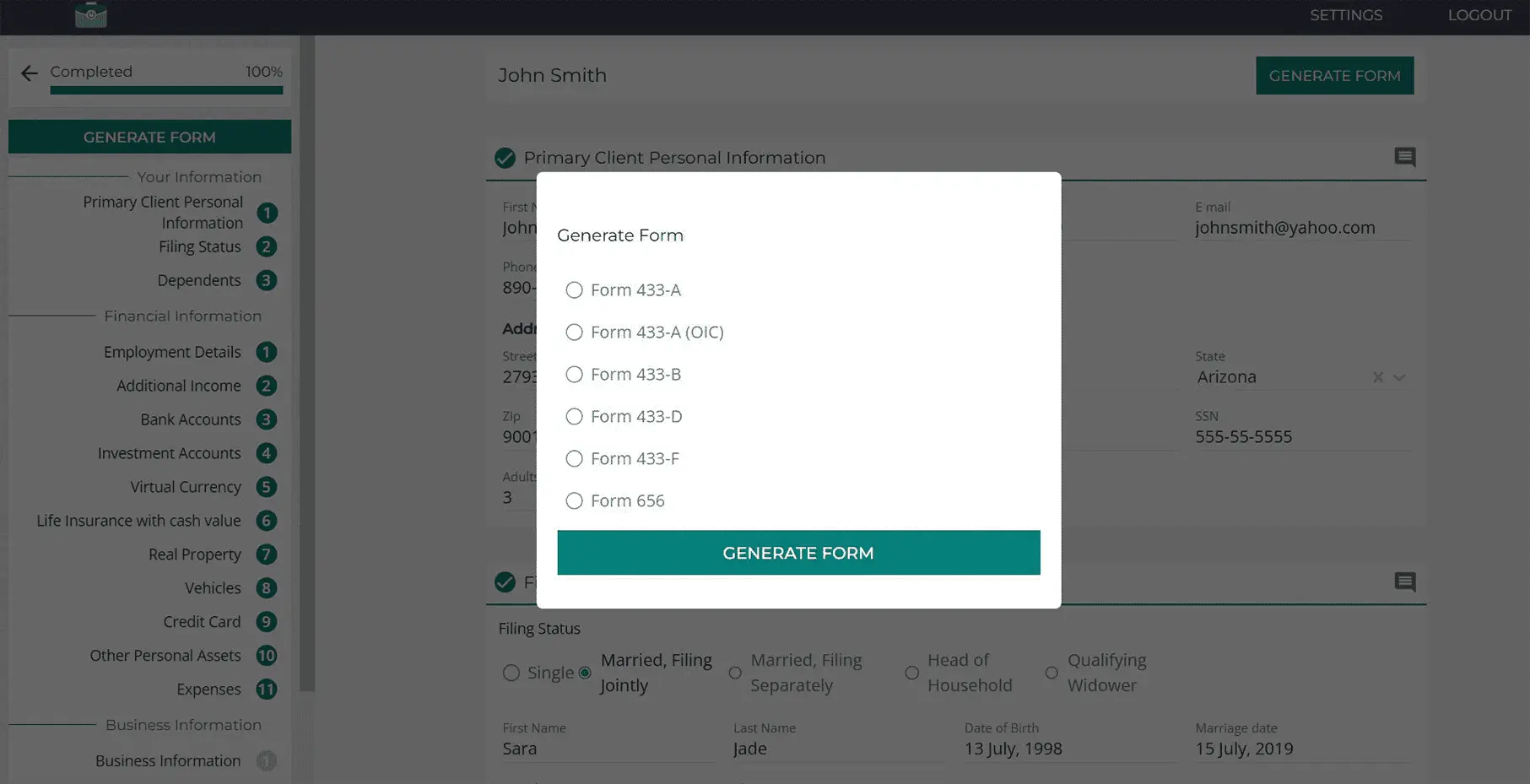
Pick the form, click generate — the data flows straight into the IRS paperwork. No re-keying, no transposition errors.
Watch the portal do the boring parts.
The client portal, the standards engine, and a 433 generating itself.
Book the full walkthrough →Live demos arranged through your partner rep — usually same week.
From portal to paperwork — the same data, every form.
The essentials are above. Everything below unfolds only if you want the detail.
The forms library — what generates when
Every form pulls from the same case file, so nothing is re-keyed. Open any form below for where it fits.
Form 433-A
The full Collection Information Statement for wage earners and the self-employed — the deep financial disclosure revenue officers work from.
Form 433-A (OIC)
The Offer-in-Compromise variant of the 433-A, filed alongside Form 656 to substantiate what the client can actually pay.
Form 433-B
The business version — corporations, partnerships, and LLCs with tax debt disclose assets, receivables, and income here.
Form 433-D
The installment-agreement form: locks in the monthly payment plan, including direct-debit setup.
Form 433-F
The streamlined statement used by ACS for simpler collection cases — shorter than the 433-A, same underlying numbers.
Form 656
The Offer in Compromise itself — the settlement proposal, packaged with its supporting 433-A (OIC) figures.
How the Standards engine decides "lesser vs greater"
For each allowable-expense line, the engine pulls the applicable IRS Standard and places it beside the client's actual figure. Line by line it resolves which value the form should carry — the lesser or the greater, per the rules for that category — and totals both columns so you can see exactly how the number on the 433 was built. No table lookups, no county cross-referencing, no math on a legal pad.
What your client actually does in the portal
They get a link, not homework. The portal walks them through personal information, filing status, income, assets, and expenses one section at a time, with progress they can see. Document requests appear as a simple checklist; uploads attach straight to the case. You can review together in real time — and nothing reaches a form until it's been entered once, correctly.
Where the data lives and who sees it
One case file per client: the financials, the uploads, and every generated form stay together. You and your client see the case — that's the list. The data exists to resolve the case and produce the paperwork, not to be reused.
Rolling it into your practice
Start with one live case rather than a migration project. Send the portal link in your normal engagement email, let the client work through it, and generate your first 433 from the result. Most practices template their document-request lists after the first case or two, and from there each new case starts in minutes.

Transform tax resolution with seamless automation.
Run your next 433 through it and see. Community Tax partners get a direct introduction to the TaxVero team — no sales queue.